
Red Eye Remover Online Free
Flash photography ruined your perfect shot with that eerie red glow? Our AI red eye remover fixes this common problem in seconds. Whether you're dealing with party photos, family portraits, or pet pictures with glowing eyes, this free online red eye remover restores natural eye color automatically. No editing skills required—just upload and let the AI do the work.
AI Red Eye Remover Tool
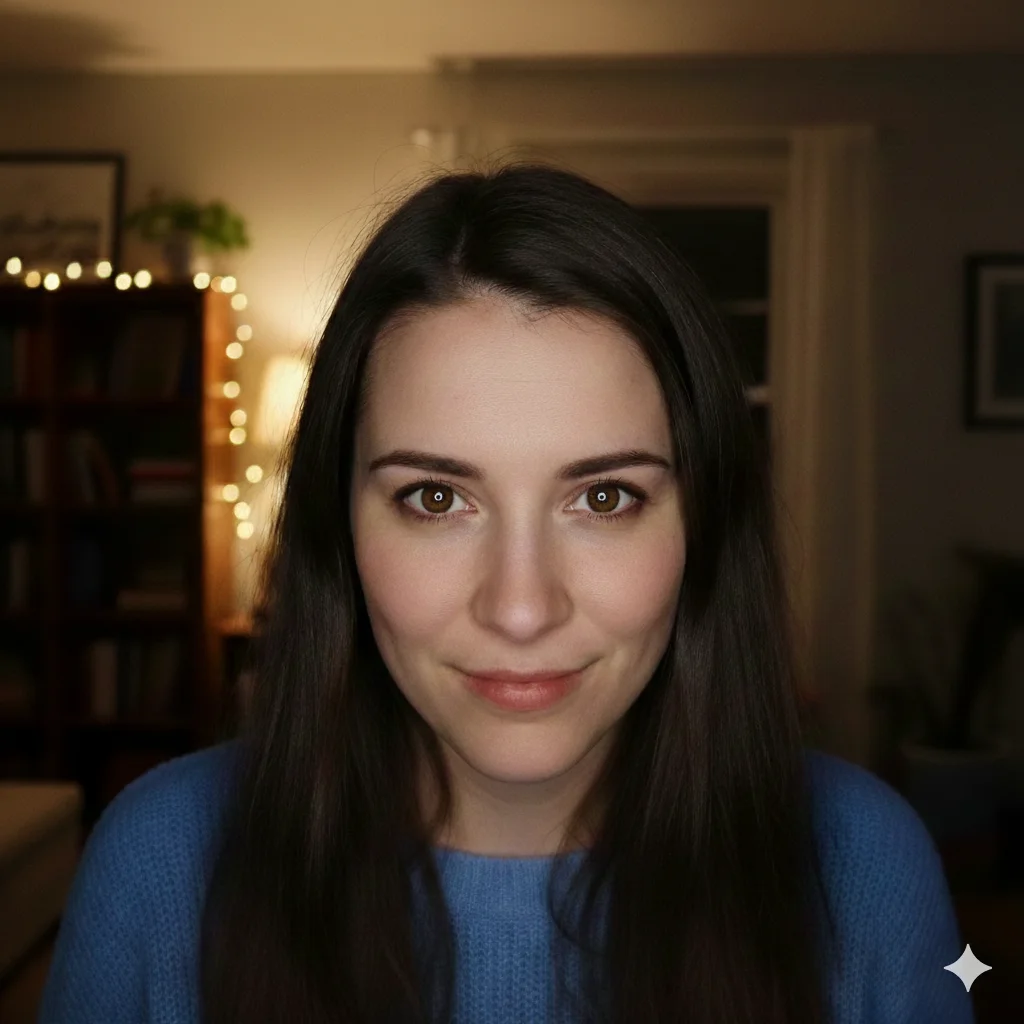
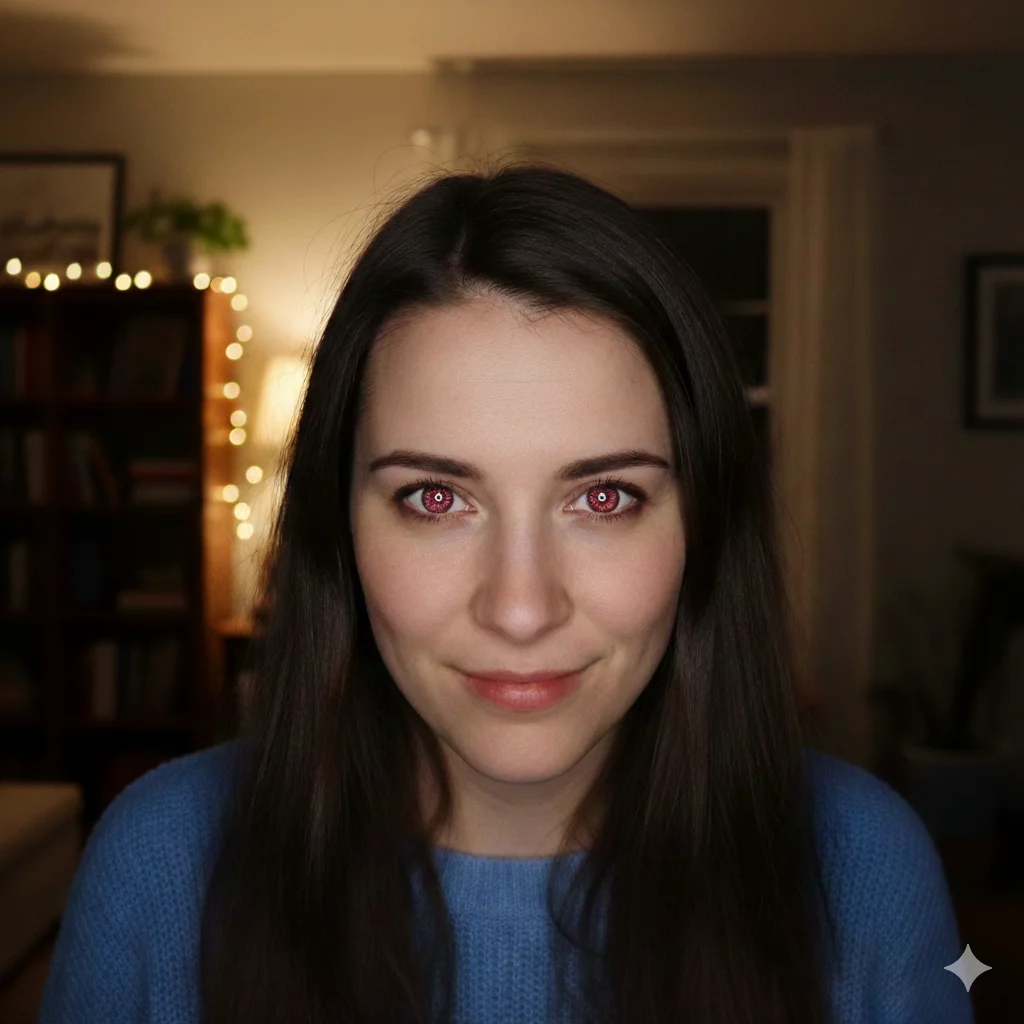
Upload a photo with red eyes to see the AI restore natural eye color instantly.
What Causes Red Eyes in Photos and How AI Fixes Them
Intelligent Eye Detection
Natural Color Restoration
Why Use a Free Red Eye Remover Online?
Works on Any Device
Preserves Photo Quality
How to Remove Red Eyes from Photos: 3 Easy Steps
Upload Your Photo
Apply AI Red Eye Correction
Download Your Fixed Photo
Photo Red Eye Remover Features
Automatic Detection
Natural Pupil Reconstruction
Iris Preservation
Fast Processing
High Resolution Output
No Watermarks
Trusted Red Eye Remover
Thousands of users fix their flash photography problems every day using our AI-powered correction tool.
45K+ Photos Fixed
Photos Fixed
28K+ Happy Users
Happy Users
4.9/5 User Rating
User Rating
What Users Say About Our Red Eye Remover
Real feedback from people who needed to fix flash photography problems in their photos.
Flash photography at indoor events always creates problems with glowing eyes. I used to spend hours fixing each photo manually. Now I run them through this AI tool and get perfect results in seconds. My clients get their photos faster, and I save so much time on post-processing.
Michelle Torres, Event Photographer
Michelle Torres
Event Photographer
Every photo of my baby had red eyes from the camera flash. I tried the built-in phone editor but it made her eyes look weird and flat. This free red eye remover actually makes her eyes look natural. Now I can finally print photos for the grandparents without that creepy glow.
James Patterson, New Dad
James Patterson
New Dad
I've been digitizing old family photos and so many have red-eye from those old flash cameras. This online red eye remover fixed decades-old photos perfectly. My scrapbook project finally has photos where everyone looks normal instead of possessed.
Linda Chen, Scrapbook Enthusiast
Linda Chen
Scrapbook Enthusiast
My dog's eyes always glow green or yellow in flash photos—same problem as the red glow in humans. I wasn't sure if this tool would work on pets, but it fixed my dog's glowing eyes perfectly. Now I can actually share cute photos of him online.
Carlos Rodriguez, Pet Owner
Carlos Rodriguez
Pet Owner
Took some great candid shots at my friend's wedding but the flash gave everyone that eerie glow. The tool fixed the whole group photo in one go. Sent the corrected photos to the bride and she was thrilled—they looked professional.
Sarah Mitchell, Wedding Guest
Sarah Mitchell
Wedding Guest
I manage social accounts for a nightclub and flash photography is unavoidable. Glowing eyes in every photo used to be a constant headache. Now I batch process event photos through this tool and everything looks great for posting. Total game changer.
Kevin O'Brien, Social Media Manager
Kevin O'Brien
Social Media Manager
Frequently Asked Questions
Common questions about fixing the red-eye effect in your photos.
If you are building a longer editing workflow, try Glasses Glare Remover for the next task, or switch to Photo Glare Remover when you need another finishing pass.
Ready to Remove Red Eyes from Your Photos?
Don't let the red-eye effect ruin your favorite memories. Upload your photo now and let our AI restore natural, lifelike eyes in seconds. Free to try, works on any device—just clear, professional results without the hassle.