
AI Glare Remover
How to Remove Glare from a Photo
Upload a photo and rebuild the glare area — the rest of the frame stays as it was.
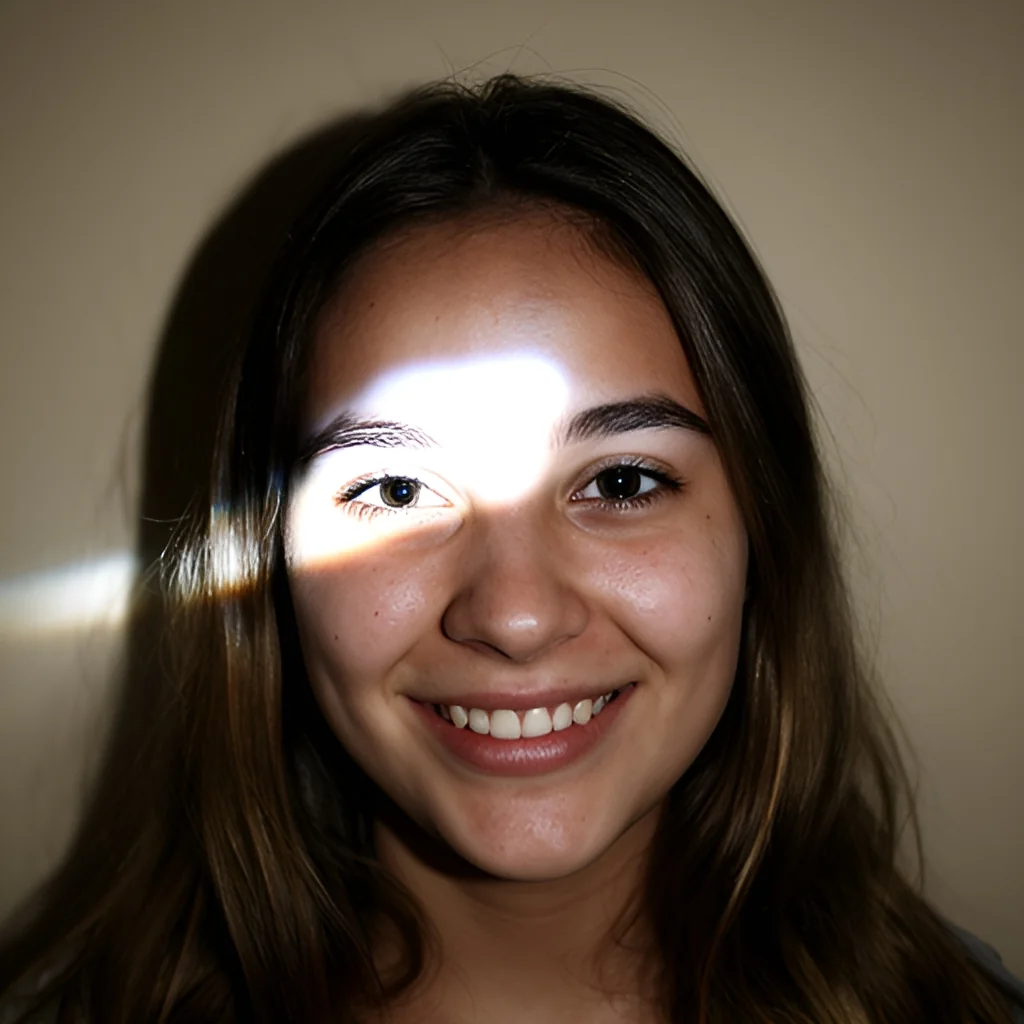

Upload a photo to see the glare reconstructed while the rest of the frame stays put.
What Causes Glare in a Photo?
Glare is a specular reflection: a surface that is smoother than the light around it bounces the source straight into the lens. Skin gets a flash hotspot, glasses get a lens-shaped reflection, a monitor or window gets mirrored in the glass of a framed picture. On the sensor the brightest part simply clips to white.
That is the key limit to understand before you try to remove glare from a photo: a pure-white highlight contains no detail. Whatever is rebuilt underneath is reconstructed from the surrounding pixels — good enough for skin and fabric, impossible for a face hidden behind the reflection.
Flash hotspots
Sun specular
Screen and window reflections
Three Ways to Remove Glare from a Photo
1. Prevent it. A polarising filter, a diffused flash or simply changing the angle removes most glare before it is recorded — the only method that keeps every original pixel.
2. Retouch it by hand. Clone Stamp, Healing Brush and a curves layer can shrink a hotspot on skin or fabric, but on a hard-edged reflection the texture repeats and the repair shows at 100%.
3. Reconstruct it with AI. To remove glare from a photo with AI, the tool reads the surrounding area and rebuilds the highlight and blends it back into the lighting. It is the fastest option for photos you cannot re-shoot, and it is honest about its limit: it invents plausible texture, it does not recover data.
Re-shoot when you can
Manual retouch is local
AI reconstruction is repeatable
Remove Glare from a Photo in 3 Steps
Upload the photo
Choose the glare type
Compare and download
What the AI Glare Remover Handles
Flash hotspot on skin
Sun glare on faces
Screen and window reflections
Everything else preserved
Before/after view
6 credits at 1K
What Glare Removal Costs
3 Glare presets: flash, sun, screen
Glare presets: flash, sun, screen
1 Photo in, one reconstructed photo out per run
Photo in, one reconstructed photo out per run
6 Credits for one 1K edit on the default model
Credits for one 1K edit on the default model
Frequently Asked Questions About Removing Glare
What people ask before fixing a highlight in a photo.
Reconstruct the Glare, Keep the Photo
One upload, three glare types, 6 credits — remove glare from a photo and the tool rebuilds the highlight and leaves the rest of the frame as it was.