🍌 Now Powered by Nano Banana 2

Free AI Anime Generator

Turn a selfie, portrait, drawing, or product shot into anime-style artwork in seconds. This AI anime generator supports photo to anime, image to image AI anime edits, preset styles, and custom prompts so you can create clean character art online without a steep learning curve.

AI Anime Generator Tool
AI Anime Generator
Drag and drop or click to upload (JPG, PNG, WEBP up to 5MB)
Cost 4 creditsRemaining 0 credits
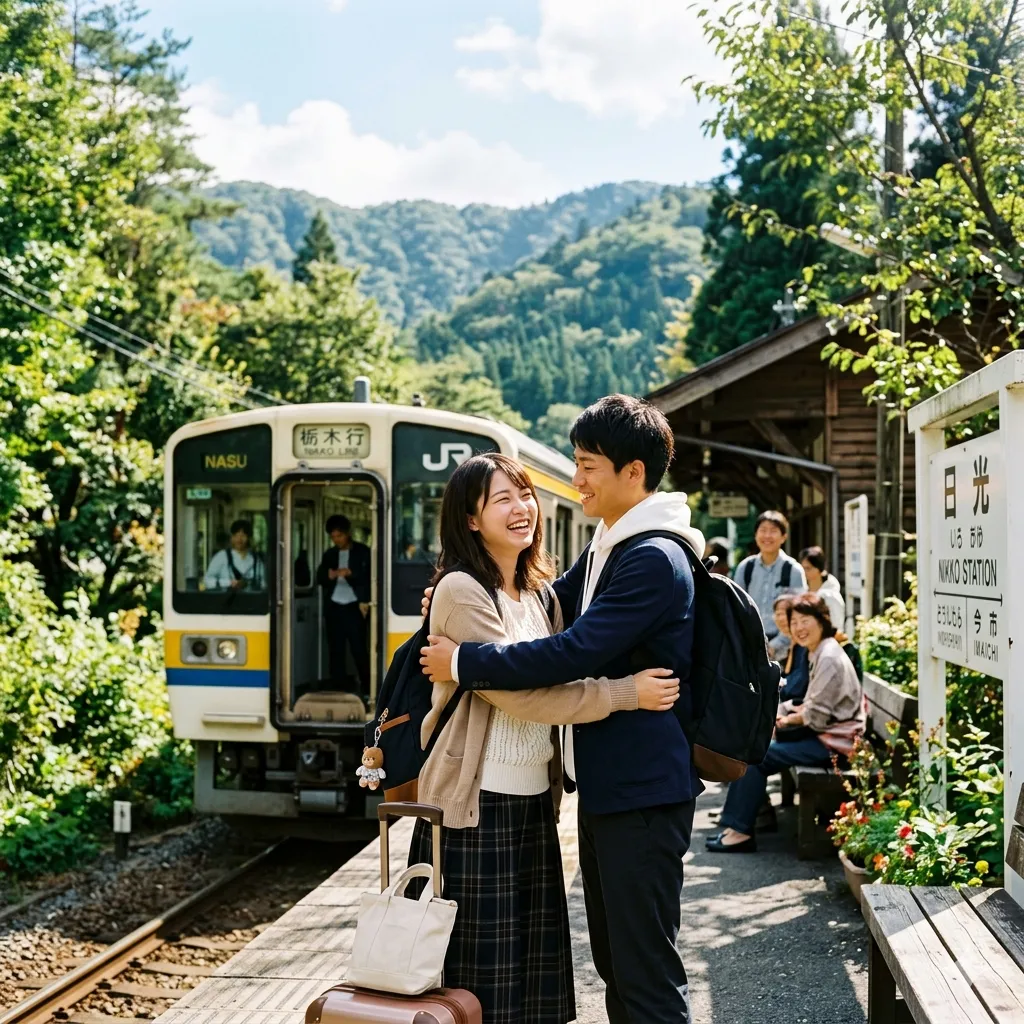
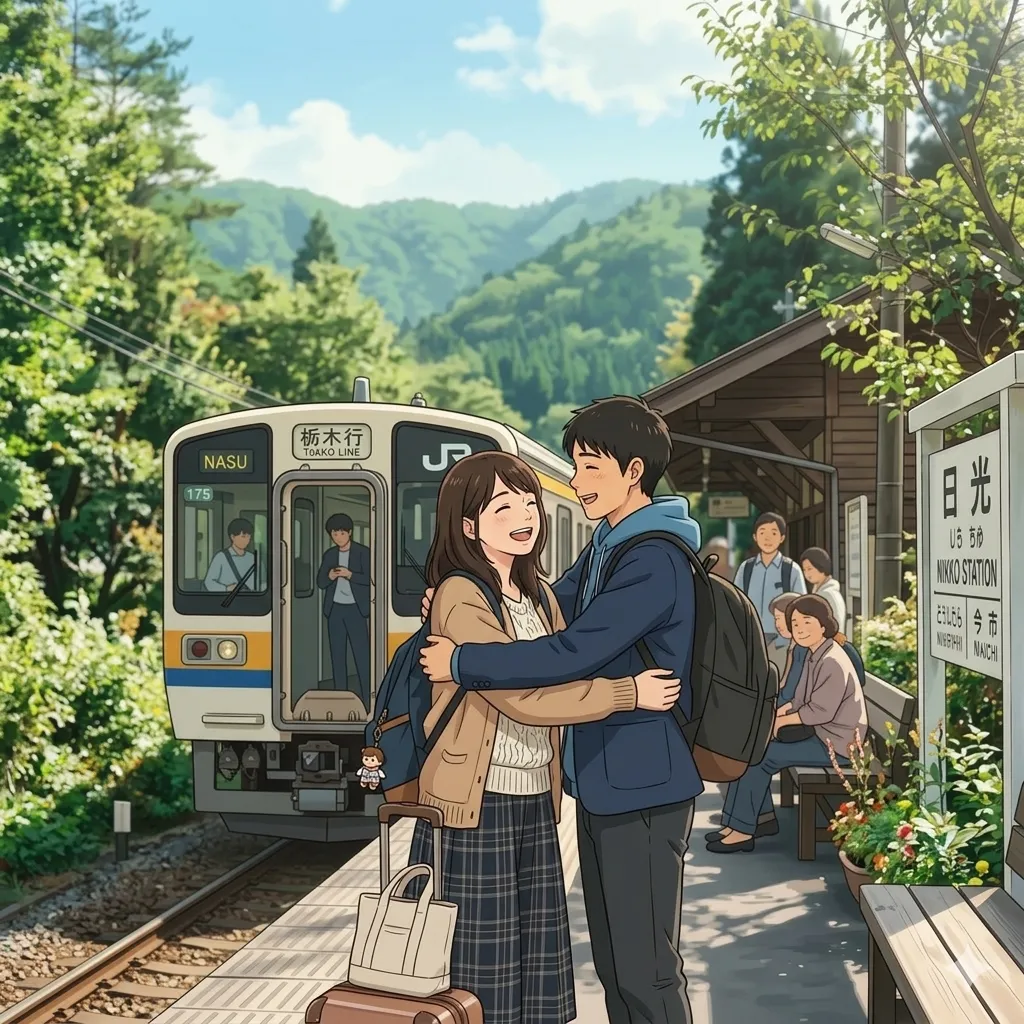
Before / After Preview
Anime
Original
Original
Anime

Upload an image, choose a style, and let the AI anime generator create your result.

What Is an AI Anime Generator?

An AI anime generator is a tool that turns text prompts, photos, and existing artwork into anime-style images. In practice, people use this kind of workflow for more than one job: a fast photo to anime converter for selfies, an anime ai generator for concept sketches, an anime ai photo generator for profile pictures, or an image to image AI anime workflow when they already have a drawing or reference image. Instead of painting everything by hand, you upload a source image, choose a preset like Ghibli, Chibi, Kawaii, Classic, or Chinese Ink, and let the model rebuild the scene with anime-friendly lines, color, lighting, and character appeal. If you are exploring broader visual changes before stylizing the final image, the Style Transform Tools page is a useful place to compare related effects.

Photo to Anime and Image to Image

Use the tool as a straightforward photo to anime converter for portraits, or upload existing art when you want image to image AI anime editing with stronger style control.

Preset Looks Plus Prompt Control

Start with curated anime presets, then refine the result with custom prompt language for pose mood, lighting, costume details, background feel, or character energy.

Why Use an AI Anime Generator Online?

A good AI anime generator saves time without flattening style. You can move from plain photo to anime art in one short session, test several looks before posting, and create visuals for avatars, thumbnails, social content, fan edits, pitch decks, game mockups, and creator branding. That matters because anime artwork usually lives in the space between realism and stylization: skin still needs to feel clean, hair needs shape, eyes need expression, and the background has to support the scene instead of fighting it. A browser-based anime tool also removes the usual setup cost. You do not need a drawing tablet, desktop software, or deep rendering knowledge. Upload, choose a style, and iterate quickly. If your image still needs sharper edges or more resolution after generation, pairing the result with AI Image Upscaler is a common next step.

Useful for Creators and Casual Users

Creators use the anime generator for content drafts and character looks. Casual users use it for profile photos, gifts, wallpapers, or just to see how a normal image feels as anime art.

Works with Photos, Art, and References

You can start from a selfie, a couple photo, a pet image, a product shot, or a rough drawing. The same tool supports both photo to anime and image-led anime restyling.

How to Turn a Photo into Anime in 3 Steps

Most people use this anime generator in a simple three-step flow:
1

Upload a Photo or Drawing

Choose a clear selfie, portrait, couple shot, pet image, sketch, or reference art. Strong lighting and a readable subject usually produce cleaner anime details.
2

Pick a Style or Write a Prompt

Select a preset such as Ghibli, Chibi, Kawaii, Cartoon, Realistic Art, or Chinese Ink. If you want more control, describe the exact anime mood, background, color palette, and rendering finish.
3

Generate and Download

Click generate and let the model rebuild the image. Review the result, download it, and rerun with another style if you want a softer, cuter, bolder, or more cinematic version.

AI Anime Generator Features

Everything you need from a modern AI anime generator, without the usual friction.

9 Preset Anime Styles

Switch between Ghibli, Blocky, Realistic Art, Chinese Ink, Cartoon, Classic, Kawaii, Minimalist, and Chibi depending on the mood you want.

Photo to Anime Conversion

Upload portraits, selfies, couples, pets, or product scenes and turn them into anime illustrations that still feel connected to the original composition.

Image to Image AI Anime Workflow

Already have a sketch, render, or character draft? Use the same anime workflow to restyle an existing image instead of starting from zero.

Custom Prompt Support

Control camera feel, outfit styling, expression, line quality, background atmosphere, and color tone with plain language instructions.

Fast Iteration

Generate quickly, compare versions, and test multiple anime directions before you commit to one final look for posting, printing, or client review.

Clean Download Output

Save the final image for social posts, avatars, banners, thumbnails, moodboards, or further editing in your broader creative workflow.

Built for Repeat Creative Use

People come back to this AI anime generator because it works for one-off fun, but also for repeat production when you need reliable anime-style outputs.

100K+ Anime Images Created

100K+

Anime Images Created

50K+ Active Users

50K+

Active Users

4.9/5 Average Rating

4.9/5

Average Rating

What Users Say About Our AI Anime Generator

Real feedback from creators, marketers, and everyday users who rely on this AI anime generator for photo to anime work, concept art drafts, and social-ready visuals.

I needed a reliable photo to anime tool for profile updates and sponsored posts. This generator gives me clean results without overcooking the face, and the preset styles make it easy to test what actually fits the brand.

Maya Chen, Content Creator

Maya Chen

Content Creator

I use it as an image to image AI anime workflow when I have rough character drafts. It is fast enough for exploration, but the outputs still feel structured enough to guide later painting and design revisions.

Daniel Park, Indie Game Artist

Daniel Park

Indie Game Artist

We tested several anime ai photo generator tools for a seasonal campaign. This one was the easiest for non-designers on the team. Upload, choose a style, and get something usable without a long prompt workshop.

Sofia Ramirez, Social Media Manager

Sofia Ramirez

Social Media Manager

I wanted a better anime avatar from a real photo, not a random character that barely looked like me. This tool kept the vibe of the original image while giving it the cleaner, sharper anime look I wanted.

Ethan Brooks, Streamer

Ethan Brooks

Streamer

Clients sometimes ask for a quick anime direction before we build a full illustration set. I use this tool to produce early references, then move the strongest version into the rest of the design workflow.

Alicia Turner, Freelance Designer

Alicia Turner

Freelance Designer

I first searched for photo to anime ai free tools and expected something gimmicky. This felt much better than that. The results are cleaner, the styles are easier to understand, and I can actually reuse the images for posters and socials.

Noah Singh, Student Creator

Noah Singh

Student Creator

Frequently Asked Questions

Common questions about using an AI anime generator online.


Many users pair this AI anime generator with AI Image Upscaler for sharper exports, or move into AI Manga Translator when they want to localize speech bubbles and comic-style panels afterward.

Ready to Try the AI Anime Generator?

Upload a photo, drawing, or reference image and let the AI anime generator turn it into a polished anime visual. Start with a preset, fine-tune with a prompt, and download the result when it feels right.