
AI Wrinkle Remover — Smooth Fine Lines and Look Years Younger
Wrinkles, crow's feet, and forehead lines can make you look tired in photos, even when you feel great. Our AI wrinkle remover detects every type of facial line — from deep nasolabial folds to subtle expression creases — and smooths them in seconds. The result? Naturally younger-looking skin that still looks like you. No retouching skills, no expensive software. Just upload, click, and download a photo where your skin matches how you actually feel.
AI Wrinkle Remover Online Tool
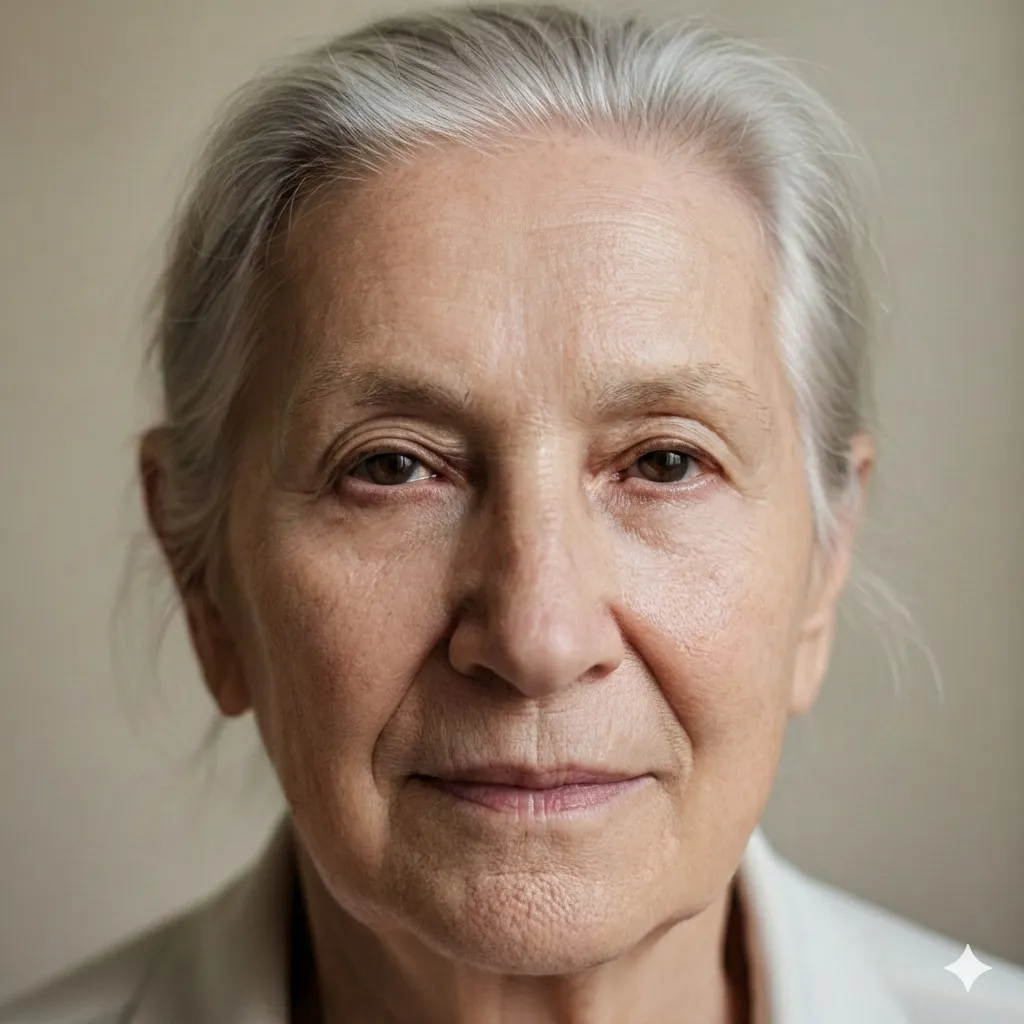
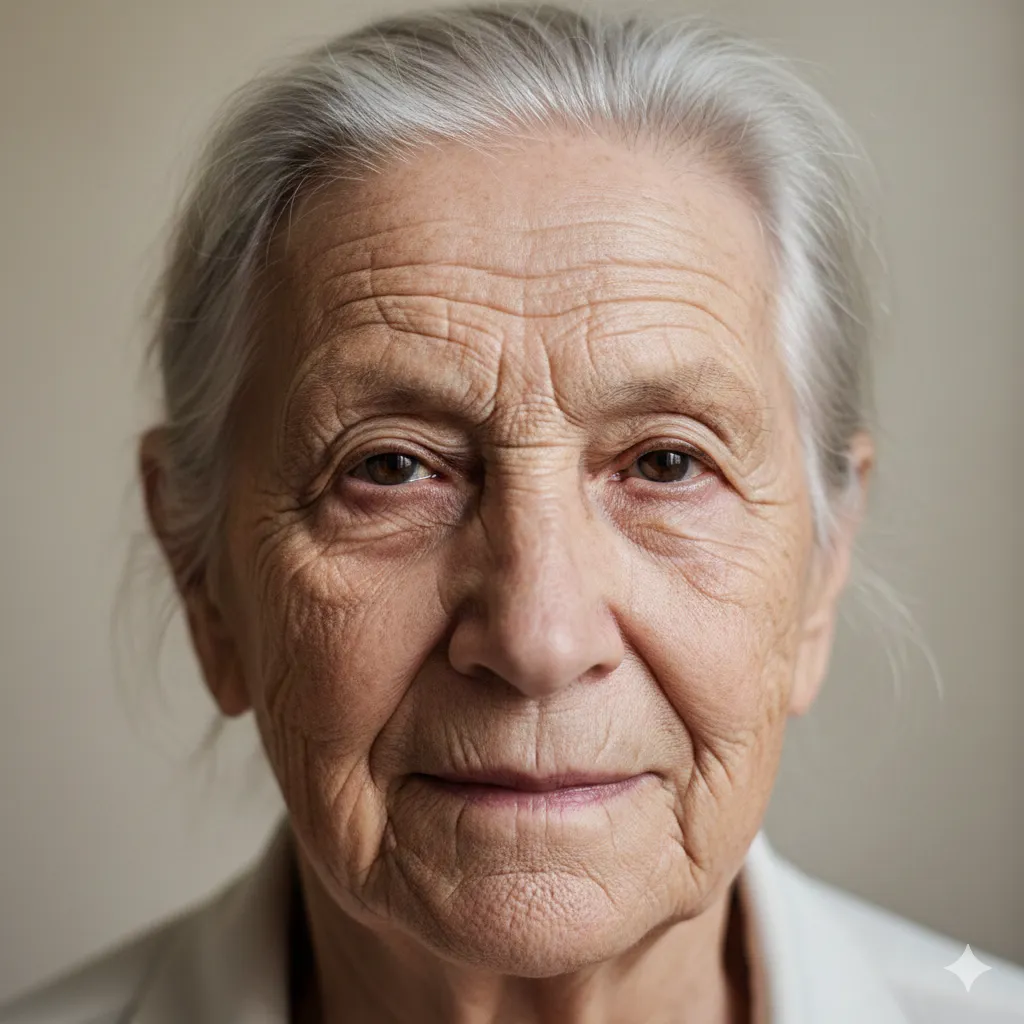
Upload a photo with visible wrinkles to see the AI smooth them instantly.
What Makes This AI Wrinkle Remover Different
Precision Wrinkle Detection
Skin That Still Looks Like Skin
Why Use a Free Online Wrinkle Remover?
Works Everywhere, No Installation
Your Photo Quality Stays Intact
How to Remove Wrinkles from Photo in 3 Steps
Upload Your Photo
Apply AI Wrinkle Removal
Download Your Smoother Photo
AI Wrinkle Remover Features
Fine Line Smoothing
Deep Wrinkle Reduction
Natural Skin Texture
Full Face or Targeted Areas
Fast Processing
High Resolution, No Watermarks
Trusted for Wrinkle Removal
Thousands of people smooth wrinkles in headshots, selfies, and portraits every day using our free wrinkle removal tool.
50K+ Photos Smoothed
Photos Smoothed
30K+ Happy Users
Happy Users
4.8/5 User Rating
User Rating
What Users Say About This Wrinkle Remover AI
Real feedback from people who use our tool to remove wrinkles from photo for work, dating, social media, and personal memories.
I manage accounts for three clients and we're constantly shooting content. This wrinkle remover tool saved me from hiring a retoucher for every batch. The skin still looks real — pores, texture, everything. My clients can't tell the difference between this and professional editing.
Danielle Reeves, Social Media Manager
Danielle Reeves
Social Media Manager
I used to spend 20 minutes per portrait on wrinkle retouching in Lightroom. Now I run photos through this tool and honestly, the results are more consistent than what I was doing manually. Crow's feet, forehead lines, smile lines — it handles all of them without making skin look plastic.
James Whitfield, Portrait Photographer
James Whitfield
Portrait Photographer
Your headshot matters in real estate. I looked exhausted in my old photo — deep forehead lines and crow's feet from years of squinting at contracts. Ran it through the wrinkle remover and now I look approachable and energetic. My new photo gets way more clicks on Zillow.
Karen Holloway, Real Estate Agent
Karen Holloway
Real Estate Agent
Look, I'm 47 and I'm fine with that. But dating app photos are brutal — harsh lighting makes every line look deeper than it is. I just wanted to smooth the worst of it. This tool did exactly that. Subtle, natural, and I still look like me when I show up to the date.
Marcus Chen, Dating App User
Marcus Chen
Dating App User
We took family reunion photos last summer and I hated how I looked in every single one. My daughter found this wrinkle remover online and helped me try it. The fine lines around my eyes and mouth softened beautifully. I finally have a family photo I want to frame.
Patricia Gomez, Family Photo Enthusiast
Patricia Gomez
Family Photo Enthusiast
We update executive headshots quarterly and some of our leadership team wanted subtle touch-ups. This tool handles wrinkle removal perfectly — professional-grade smoothing that keeps everyone looking like themselves. Beats paying a retoucher $50 per headshot every quarter.
David Okonkwo, Corporate Communications Director
David Okonkwo
Corporate Communications Director
Frequently Asked Questions About AI Wrinkle Remover
Everything you need to know about using our wrinkle remover AI to smooth lines and rejuvenate photos.
If you are building a longer editing workflow, try AI Blemish Remover for the next task, or switch to AI Teeth Fixer when you need another finishing pass.
Try the AI Wrinkle Remover — It's Free
Your photos should show how you feel, not just how many birthdays you've had. Upload a portrait now and let our AI wrinkle remover smooth fine lines, crow's feet, and forehead creases in seconds. Free to try, no software to install — just naturally younger-looking skin.