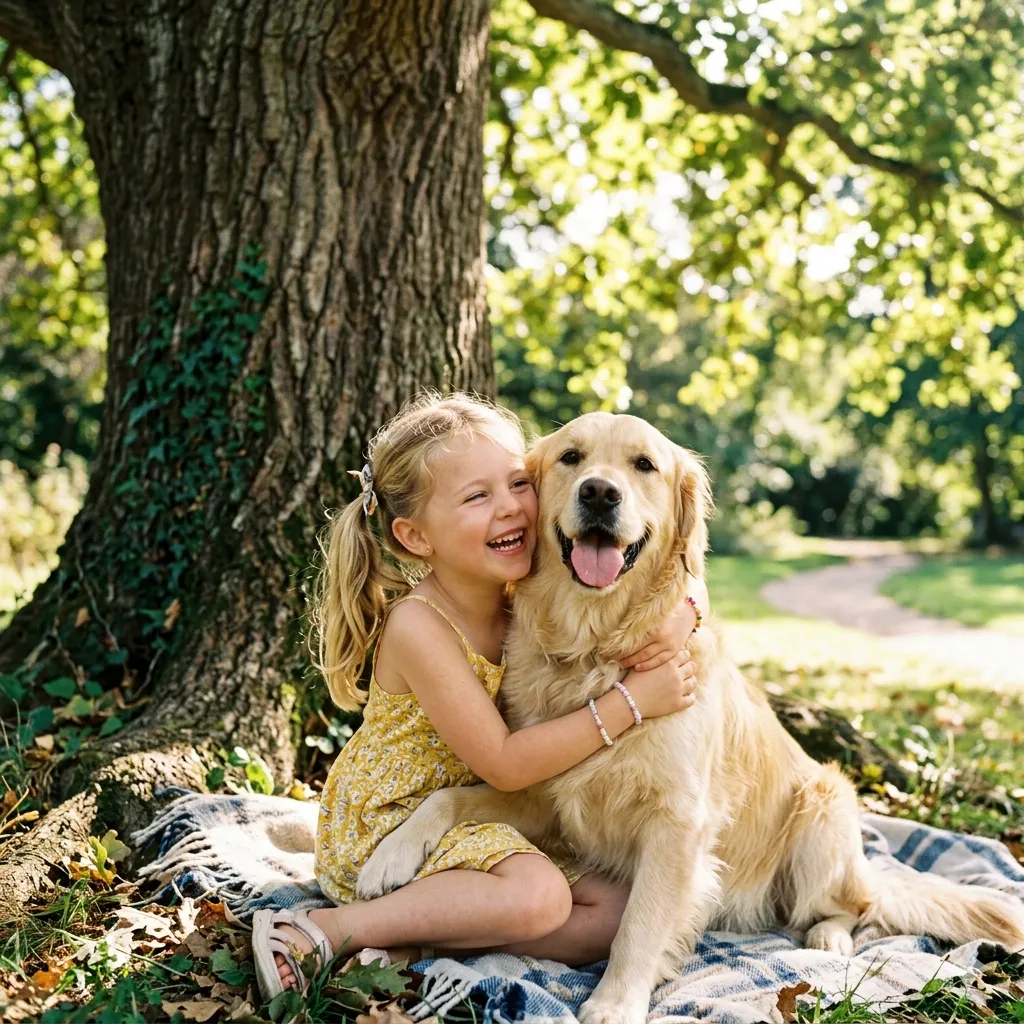
One-click outline maker for photos, products, and portraits

Add Outline to Image

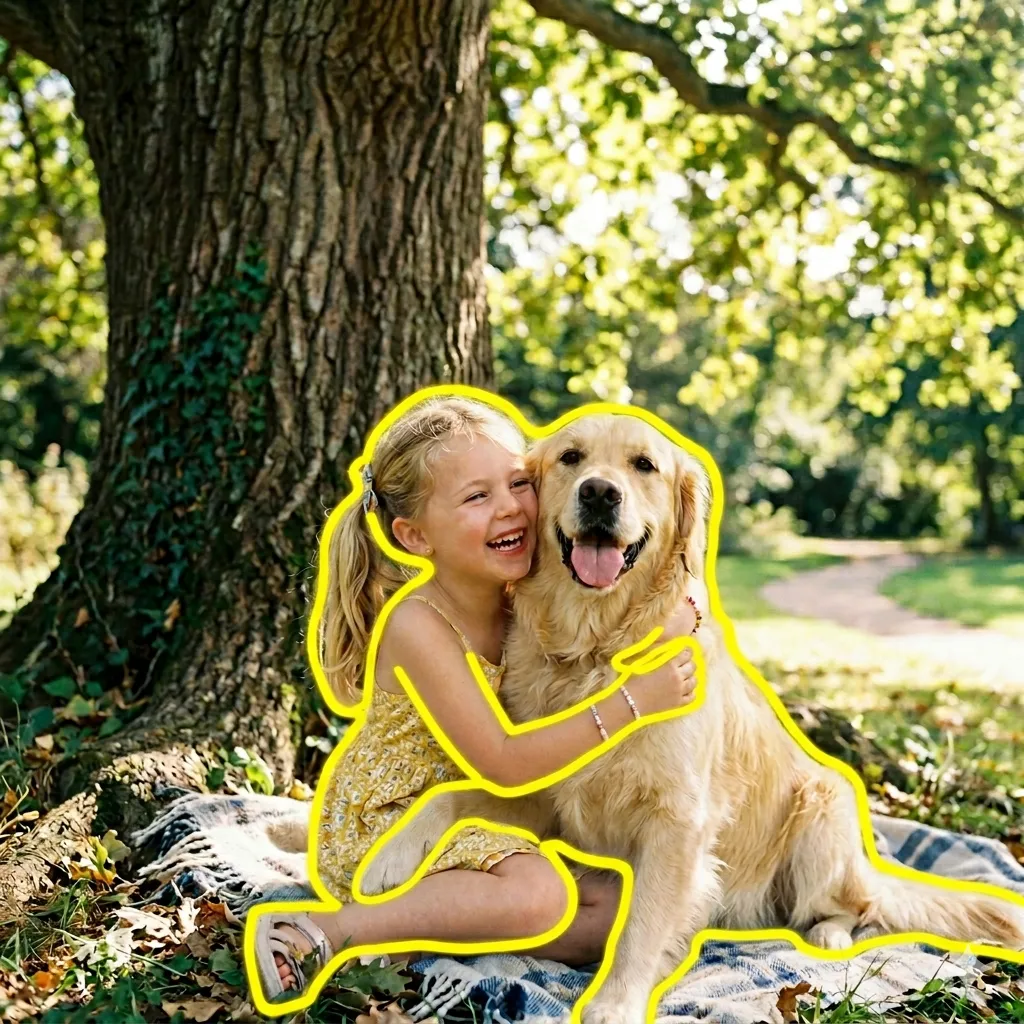
Need a fast way to add outline to image without opening Photoshop or tracing edges by hand? This page is built for that exact job. Our online outline image tool helps you place a clean border around the main subject so portraits, product photos, pet pictures, and sticker-style graphics stand out instantly. Whether you are polishing a marketplace listing, making a thumbnail pop, or turning a simple cutout into an outline image for social media, the result looks neat, deliberate, and easy to read. If you have searched for an image outliner, an image outline generator, or a simple way to outline a photo online, you are in the right place.

Add Outline to Image Tool - Online Outline Image Maker and Image Outliner

Add Outline to Image Tool
Upload one photo, choose an outline color, and turn the main subject into a cleaner, more eye-catching outline image in seconds.
Upload a clear image with a distinct foreground subject.
Selected: No color selected

Pick any color with the color wheel or type a hex value.
Cost: 4 creditsRemaining: 0 credits
Image Comparison
After
Before
Before
After

Upload your image to replace the demo preview.

What Does It Mean to Add Outline to Image?

To add outline to image means placing a visible, clean border around the main subject instead of around the entire canvas. That distinction matters. A frame decorates the outside of a picture, but an outline image emphasizes the person, object, flower, pet, or product inside the picture itself. When the subject gets a crisp contour, it becomes easier to notice on busy backgrounds, in feed layouts, on thumbnails, and inside product grids. That is why so many creators, sellers, and casual users look for a reliable image outliner. They do not just want an effect. They want a faster way to separate the subject visually without rebuilding the photo from scratch.

Subject-first editing

This tool focuses on the main subject, so the outline follows the person, product, pet, flower, or object instead of wrapping the whole image in a box.

Clearer visual hierarchy

An outline image helps viewers understand what to look at first, especially in social posts, listing cards, mood boards, and cover graphics.

Why People Search for Add Outline to Image

Most people do not search add outline to image because they want a novelty filter. They search for it because outlined subjects solve practical design problems. A subtle but visible border can rescue a product shot placed on a white catalog page, make a creator portrait readable on a noisy thumbnail, or turn a pet cutout into a sticker-ready asset. In e-commerce, an outline image can help the item hold its shape against sale banners, badges, and colored backgrounds. In social media, it gives profile photos and cover art a stronger edge without hiding the original details. For hobby projects, teachers, crafters, and printable designers often use outline images to prepare posters, labels, and activity sheets quickly. When the contour is applied the right way, the effect feels useful, not gimmicky.

Stand out on crowded layouts

A bold edge helps portraits and products stay readable inside busy feeds, marketplaces, carousels, and collage-style posts.

Faster than manual tracing

Instead of masking, feathering, and drawing a contour by hand, you can create a clean outlined subject in one quick step and move on.

How to Add Outline to Image in 3 Simple Steps

The workflow is short, clear, and built for everyday use. You do not need design software, layers, or a long setup process. Just upload, choose, and download.

1

Upload a Clear Photo

Start with a JPG, PNG, or WEBP image where the main subject is easy to recognize. Human portraits, product photos, pets, flower shots, and tree images all work best when the subject is not hidden by heavy blur or extreme shadows.

2

Pick an Outline Color

Choose the outline shade that matches your style and purpose. Use a white outline around a picture for a sticker look, a dark edge for dramatic contrast, or a brighter color when you want the outline image to jump off the page.

3

Download the Finished Image

In seconds, you get a polished result you can use in listings, profile graphics, thumbnails, posters, classroom materials, and social posts. The finished outline image keeps the original subject while making it more visible.

Features of Our Image Outliner

Everything here is designed to make this editing workflow feel practical, quick, and visually clean rather than heavy-handed.

One-click image outliner

Upload a photo, choose a color, and let the tool outline the subject without a complicated editing workflow.

Clean subject edge detection

The outline follows the visible subject edge so the final outline image looks intentional instead of messy or jagged.

Strong color contrast options

Use light, dark, or vivid borders depending on whether you want a soft sticker effect or a stronger highlighted cutout.

Works for portraits, products, and pets

This image outline generator is useful for headshots, catalog photos, cat pictures, dog photos, craft assets, and more.

Fast processing

Most users can generate the effect in a short moment, which makes it easy to test several colors and styles.

Download-ready output

The finished outline images are suitable for social graphics, listing cards, presentation slides, printable projects, and everyday sharing.

Popular Ways People Use Add Outline to Image

Different users search different phrases, but the goal is usually the same: make the main subject easier to see and more polished in context.

Profile and creator photos

Creators often use this tool so their face stays readable in channel art, reels covers, YouTube thumbnails, and profile banners where backgrounds can get busy.

Product listings and shop graphics

Sellers use an outline image to separate products from sale tags, colored backgrounds, and category cards. It is a small detail that improves clarity fast.

Cat outline images

Pet creators and sticker makers love cat outline images because a neat border makes fur shapes feel cleaner and more playful on merch, posts, and printables.

Flower outline images

Flower outline images work well in invitations, craft sheets, seasonal posters, and botanical social posts where petals need more separation from the background.

Tree outline images

Tree outline images are useful for educational diagrams, nature graphics, outdoor branding, and layered poster designs where the silhouette needs stronger definition.

Sticker-style cutouts and printables

If you want outlined images for labels, party decor, or classroom assets, this image outline generator gives the subject a cleaner sticker-like finish. Some users even search odd phrases like bin outline images when they really mean printable outlined objects.

Trusted for Fast, Clean Outline Images

People use this page for work, content, hobbies, and quick visual cleanup every day.

90K+ Images Outlined

90K+

Images Outlined

42K+ Happy Users

42K+

Happy Users

4.8/5 Average Rating

4.8/5

Average Rating

What Users Say About Our Outline Image Tool

Real feedback from people who use the tool for selling, posting, and making creative assets look clearer.

I use this page whenever I need a cleaner outlined product for promo tiles and listing cards. The border makes small items easier to read on colorful sale banners, and it saves me from opening a full editor for every new listing.

Maya Lopez, E-commerce Seller

Maya Lopez

E-commerce Seller

For thumbnails and creator portraits, the image outliner is genuinely useful. I can outline a subject in a few seconds and get a stronger cutout effect without making the photo look fake or over-processed.

Jordan Reed, Social Media Manager

Jordan Reed

Social Media Manager

I make pet stickers and printable cards, so I need clean outline images all the time. This tool works especially well for cat photos and flower cutouts, and the finished edge is much nicer than the rough outlines I used to do by hand.

Emily Park, Pet Crafter

Emily Park

Pet Crafter

Frequently Asked Questions

Common questions about using our image outliner and getting the cleanest result.


Ready to Add Outline to Image in Seconds?

Upload your photo, choose a border color, and turn an ordinary picture into a cleaner, sharper outline image. Whether you are polishing a product card, a portrait, or a playful cutout, this is one of the fastest ways to get the effect without overcomplicating the edit.